Different devices. Different rules.
Keep the television, work laptop, and family devices on policies that make sense for them. Use per-device profiles, allowlists, and schedules.
DEVICE POLICIES / SCHEDULESSee what your devices are asking for.
Decide what gets an answer.
Self-hosted DNS filtering, domain relationships, and privacy budgets. All in your hands.
A blocklist is a start.
Understanding your network is the next step.
Follow observed connections between devices, domains, aliases, and IP addresses. Investigate the request with its context still attached.
Explore the documentation Infrastructure and application labels depend on the evidence available.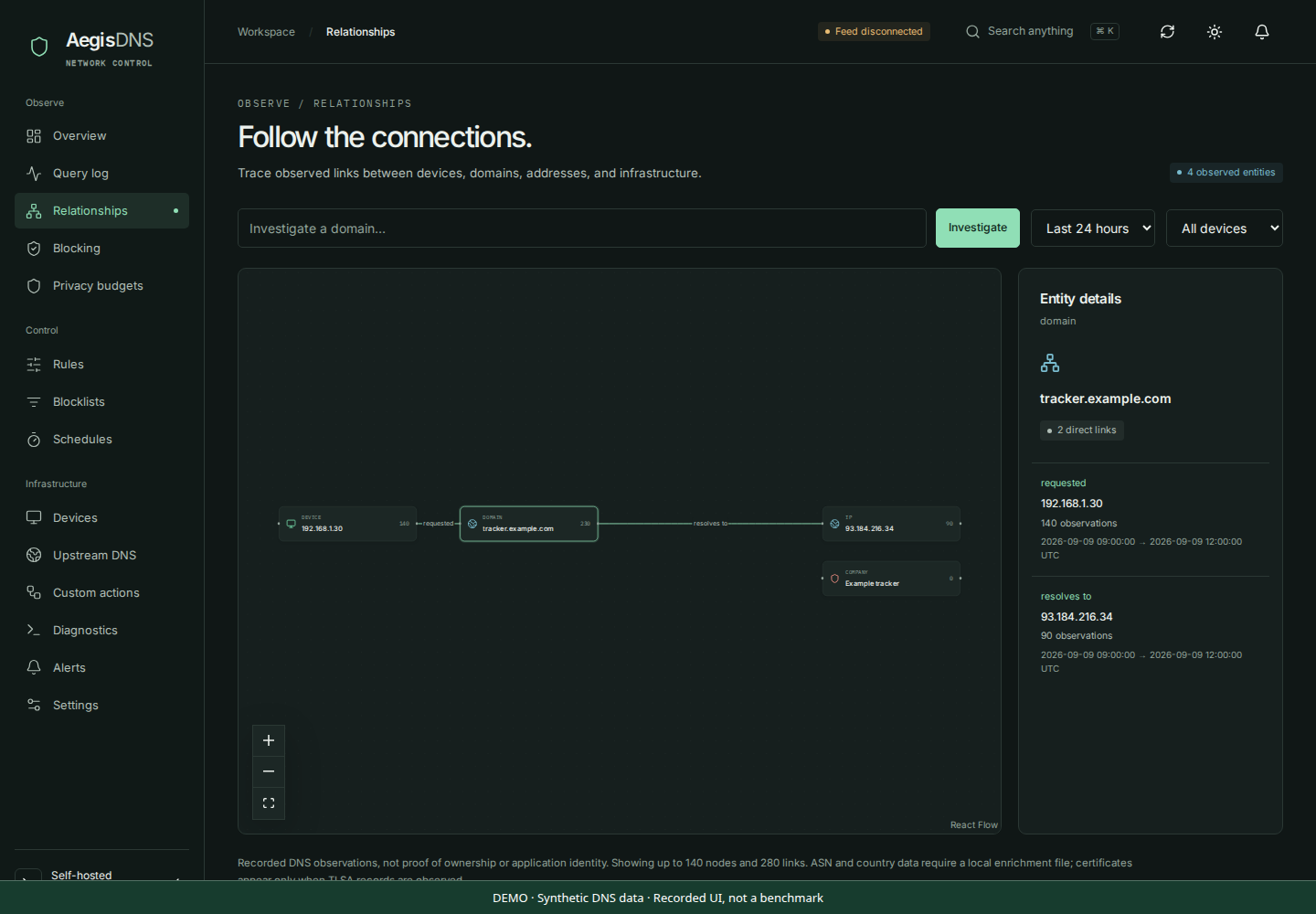
Keep the television, work laptop, and family devices on policies that make sense for them. Use per-device profiles, allowlists, and schedules.
DEVICE POLICIES / SCHEDULESUnbound handles recursive lookups and DNSSEC validation. QNAME minimization limits the query information sent along the resolution path.
UNBOUND / DNSSECFollow the live query feed, inspect a request, and export history as CSV or JSON. Work from what your server actually observed.
LIVE ACTIVITY / EXPORTSA Linux machine. A place on your network.
A little curiosity. Start there.
# Your network starts with your server.
git clone https://github.com/Harshil-Anuwadia/aegisdns.git
cd aegisdns
./install.sh
Run as a regular user with sudo access. The installer makes host changes. Read the requirements first.
Check the requirements, then run the installer on your host.
Run aegis start. Use aegis credentials to retrieve your dashboard sign-in.
Set its DNS to your server’s IP. Verify lookups before changing the rest of your network.
I’m Harshil, the developer behind AegisDNS. If this project earns a place on your network, you can help give it a future.
Harshil Anuwadia Creator, AegisDNSWhy AegisDNS exists, how AI helped, and what I hope we can build together.
Harshil Anuwadia Creator, AegisDNSAegisDNS began with frustration. I kept running into the same feeling: wanting a quieter, more private digital life seemed to come with another monthly bill. Privacy was something I wanted to exercise, but too often it was presented as something I had to keep buying.
I understand that good software takes work, and that work deserves support. My frustration wasn’t with developers earning a living. It was with how little control an ordinary person can feel they have without adding another subscription.
So much of life happens through connected devices now. A phone, a browser, a television—each can make connections I never consciously chose. I wanted to see those requests, understand more of them, and decide which ones my network should answer.
I don’t want everyday habits to become a profile for someone else’s advertising business. The thought of that information being collected, traded, or used to target me never felt like a fair exchange just for using the internet.
That is where this project started. With a personal need, and a suspicion that I wasn’t the only person feeling it.
There are already excellent self-hosted DNS projects. Their maintainers have spent years making private networks more accessible, often with very little recognition. AegisDNS exists in that tradition, and depends on the work of others—including Rust, Unbound, and the open-source libraries behind it.
I’m interested in contributing another useful perspective: connecting a DNS request to its surrounding activity, making device policies easier to understand, and exploring practical limits on recognized tracking. People should have more good choices.
My aim is simple: useful software for people who want more control over their own network. Free to run. Open to inspect and change. No subscription required to use the complete project.
Self-hosting still takes hardware, electricity, and some care. DNS filtering also has limits: it can act on requests that reach it; it cannot make someone anonymous or see inside every application. I want those limits to be as clear as the features.
I want AegisDNS to earn trust through understandable behavior, public code, honest documentation, and fixes when things go wrong. Optional sponsorship can support that work. It should never determine how much control a user gets.
Yes, AI has been used substantially in developing AegisDNS. It has helped with implementation, debugging, testing, design, and documentation—including shaping the words on this website.
I used it because it helped me turn an idea into something people could try, and work through problems beyond what I could tackle alone in the same time. I don’t want to pretend I wrote every line by hand, or hide the help behind the project.
My goal was never to claim that I built everything alone. It was to make something useful for people who feel the way I do.
AI can produce convincing mistakes. Passing tests is evidence, not a guarantee. Using these tools does not remove my responsibility to understand changes, take reports seriously, and keep improving the project. Independent review and contributions are welcome—especially where the code falls short.
This describes the development process. Running AegisDNS does not require an AI service, an AI subscription, or sending your DNS history to an AI provider.
If this feels familiar, try AegisDNS on a test device. Tell me where the setup is confusing, where a decision needs a better explanation, or where the software gets something wrong. A careful bug report is a contribution. So is a clearer sentence in the documentation.
You don’t owe the project a donation or a star to belong here. If it helps you understand your network a little better, it is already doing something I hoped it would.
Thank you for giving a personal project a chance to become something shared.
— Harshil
Help make it betterYes. AegisDNS is MIT-licensed, including commercial use. You supply the hardware and network connection. Sponsorship is optional and does not unlock features.
It filters DNS requests that reach your server. Devices that use another resolver can bypass it. Use native Linux for deployments that need reliable device identification; Docker Desktop and NAT can hide client IPs.
DNS reveals requested names and their observed answers. It cannot inspect encrypted application content. Privacy budgets and risk checks are estimates; application and company labels may be inferred, and false positives are possible.
Try an installation, improve the documentation, or report a reproducible bug. Open an issue or read the contribution guide. Remove private data from public reports and business inquiries.